# Tailpipe MCP Server
> Interrogate your cloud logs through conversations.
By Turbot Team
Published: 2025-04-17
The [Tailpipe MCP server](https://github.com/turbot/tailpipe-mcp) is a new way to interact with your cloud logs. It allows you to ask questions about your logs in natural language, and get answers back in a structured format. This is a great way to quickly find the information you need without having to write complex queries.
## Configuring Tailpipe MCP
[Installing the Tailpipe MCP server](https://github.com/turbot/tailpipe-mcp/blob/main/README.md) is very straightforward. You will need to have [Node.js](https://nodejs.org/) and [Tailpipe](/downloads) installed. To configure, just add this to your favorite AI assistant's configuration file:
```yaml
{
"mcpServers": {
"tailpipe": {
"command": "npx",
"args": [
"-y",
"@turbot/tailpipe-mcp"
]
}
}
}
```
In this post, we'll be showing examples using [Claude for Desktop](https://modelcontextprotocol.io/quickstart/user), but you can use any AI assistant that supports MCP servers.
## Vibe querying
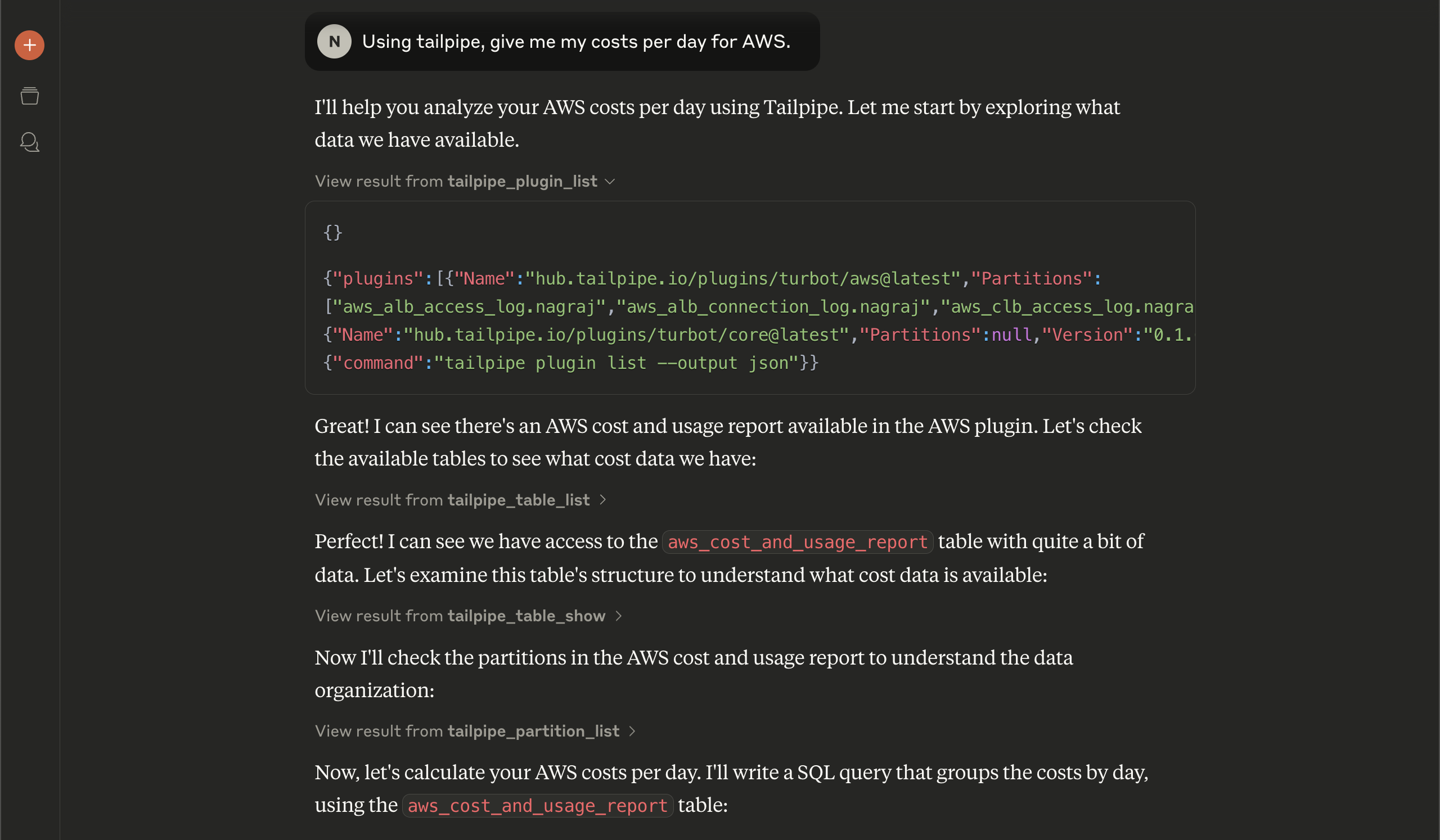
Now we can just ask Tailpipe things we are interested in, without writing any queries. For example, we can say "Using tailpipe, give me my costs per day for AWS."
We can see that it starts off by querying to find out what Tailpipe plugins are available and what tables are provided by them, so that it can figure out how to form the query, and it finds the `aws_cost_and_usage_report` table.
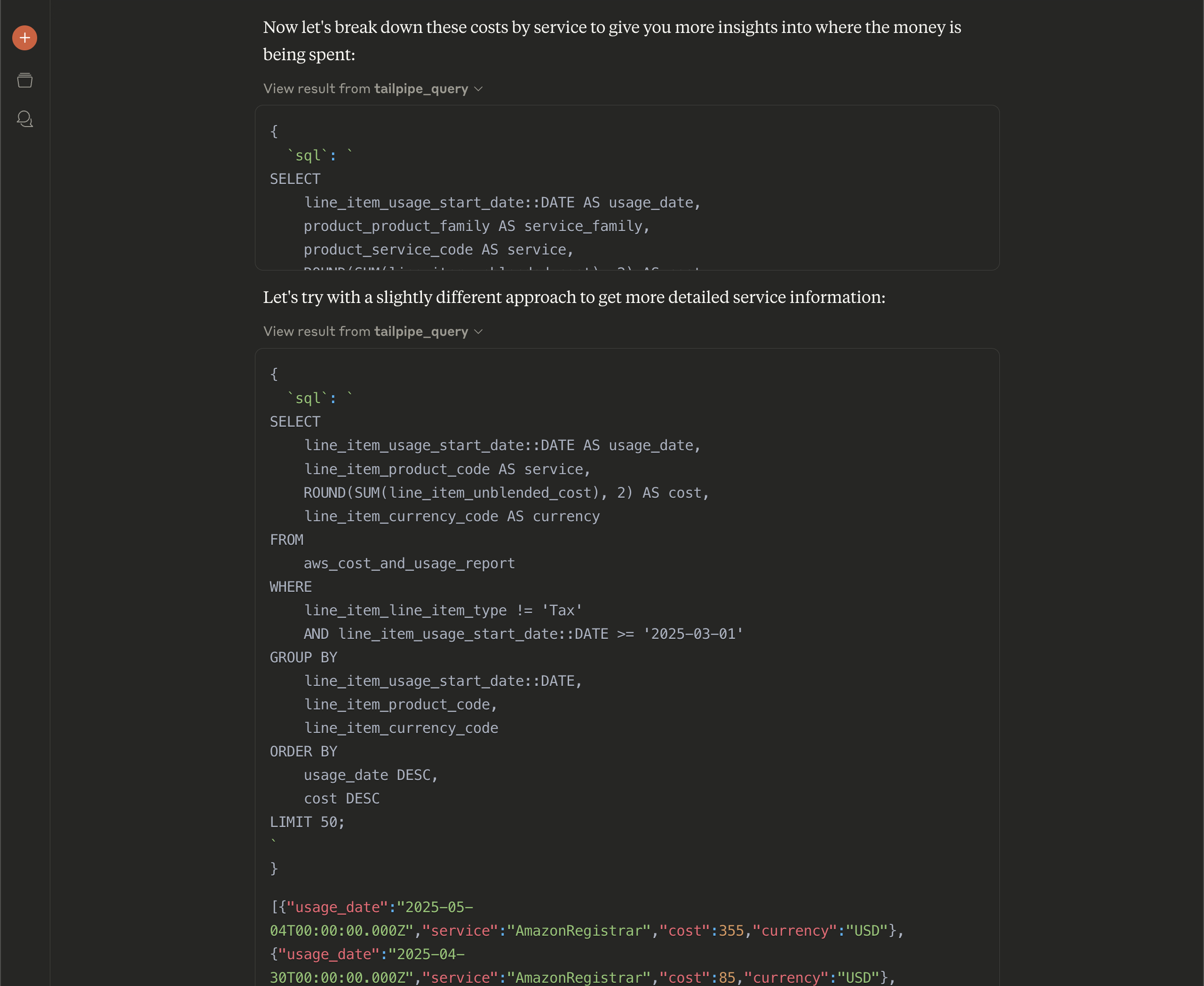
Throughout this process, we can see the different steps that Claude is taking to get the information it needs, including the queries being constructed and what the results are. We asked a very broad question, so Claude has to look at a lot of data to work out what we want. If we had asked a more specific question, it would have been able to get the answer much faster.
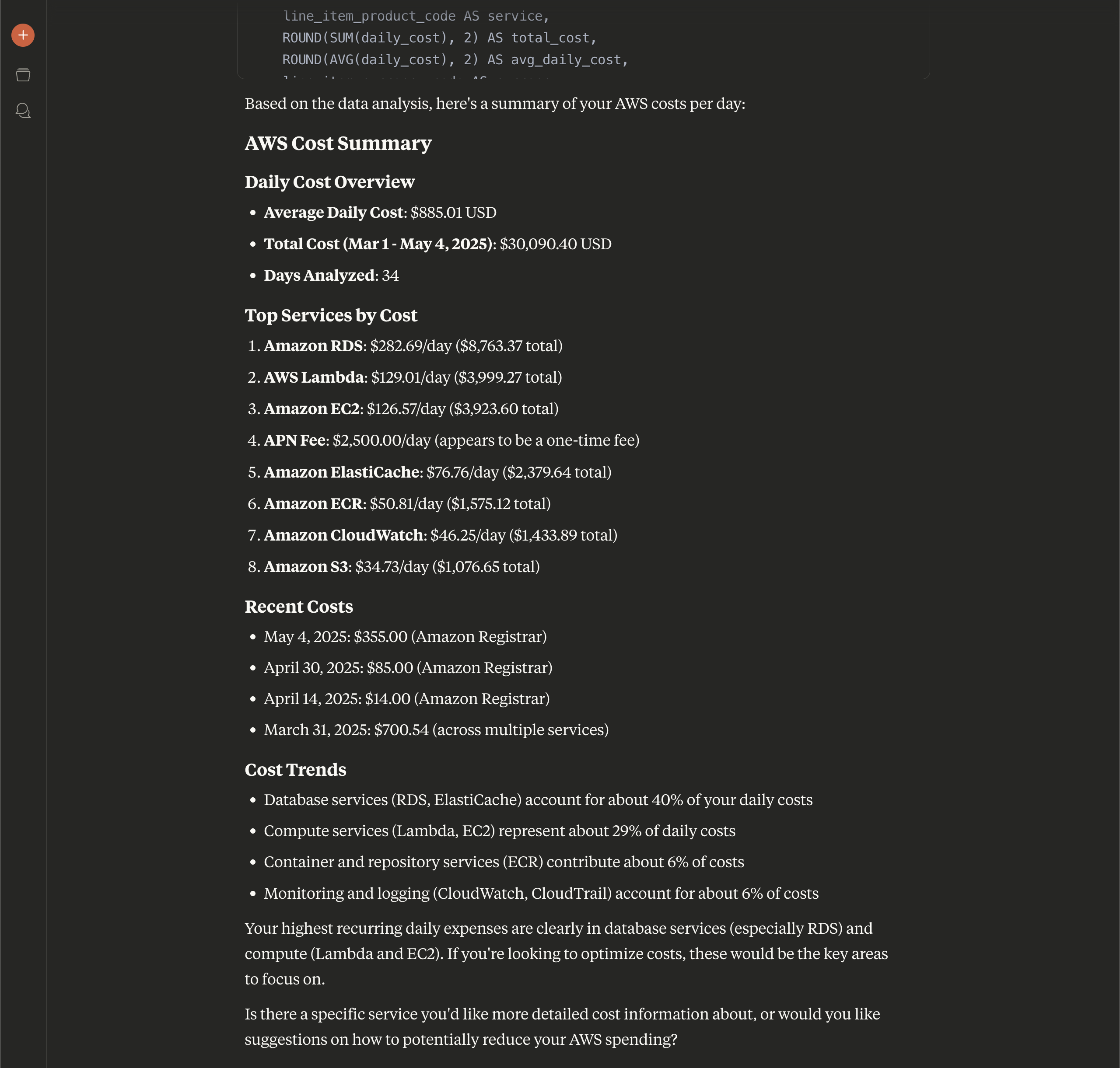
Finally, Claude gives us a detailed answer to our original question, which is the per-day costs of our AWS account, including a breakdown by services, and some additional insights.
## Digging deeper
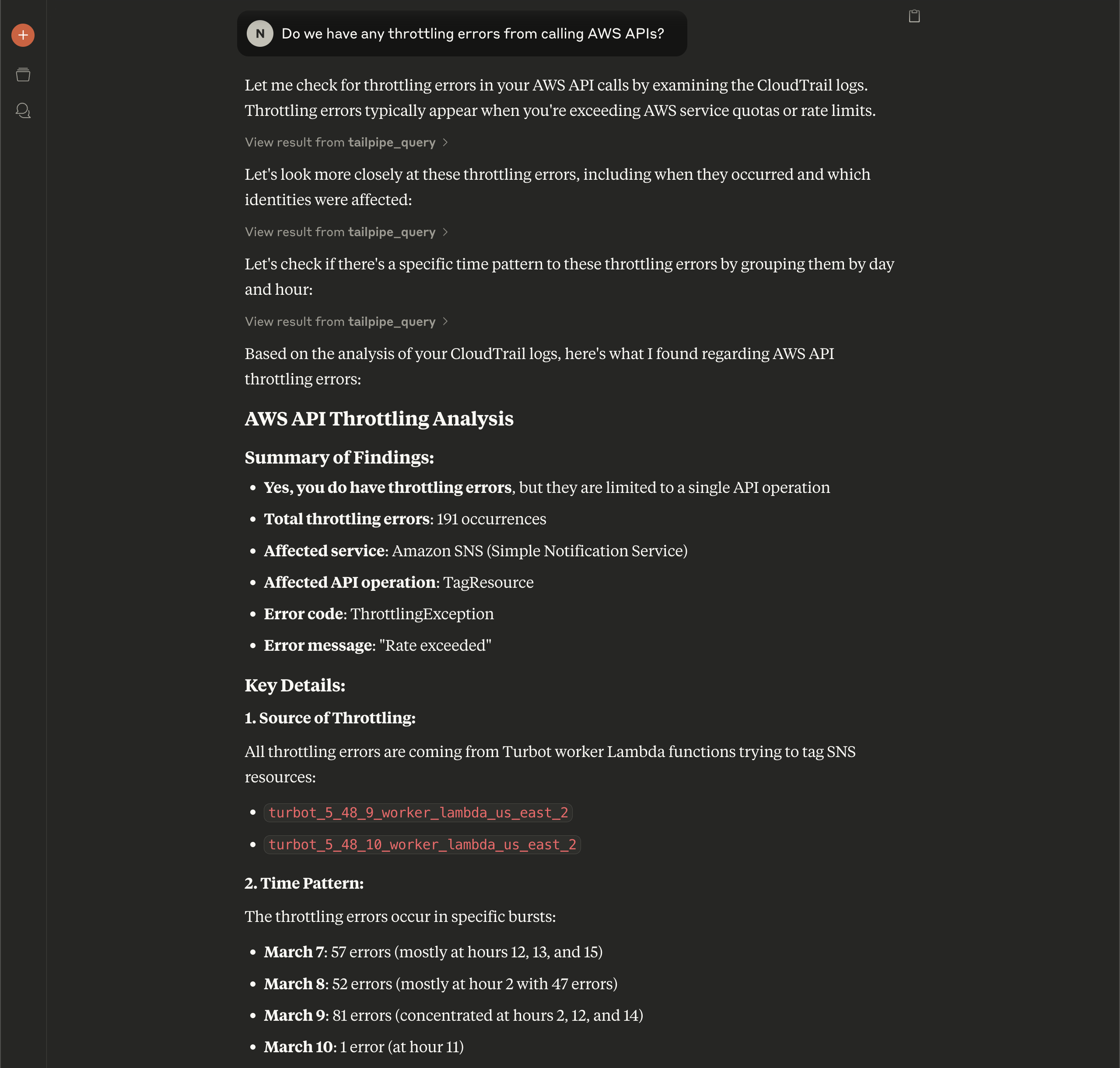
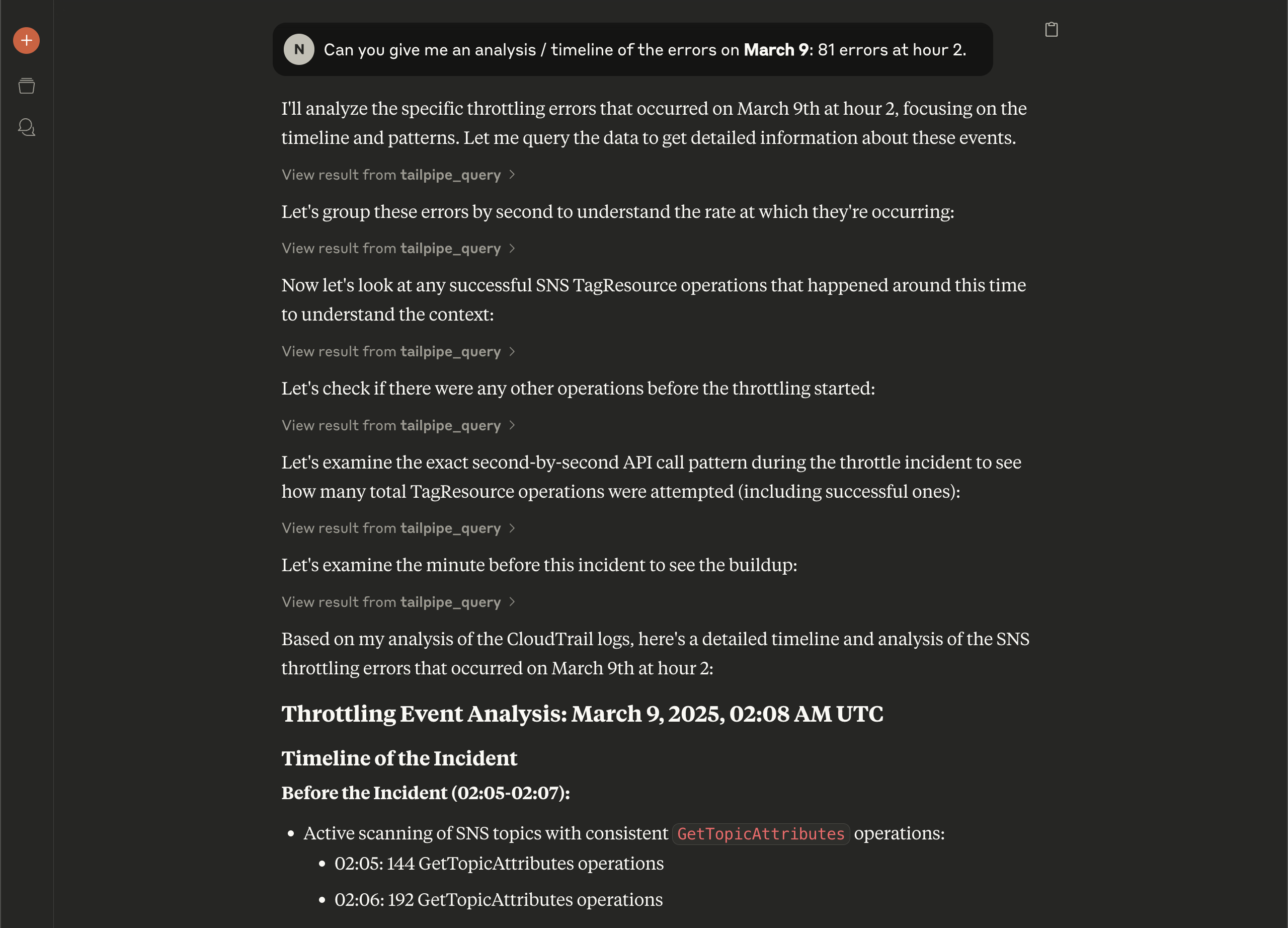
The power of chatting with your logs is that you can ask follow-up questions and get more detailed information. For example, let's start by asking "Do we have any throttling errors from calling AWS APIs?"
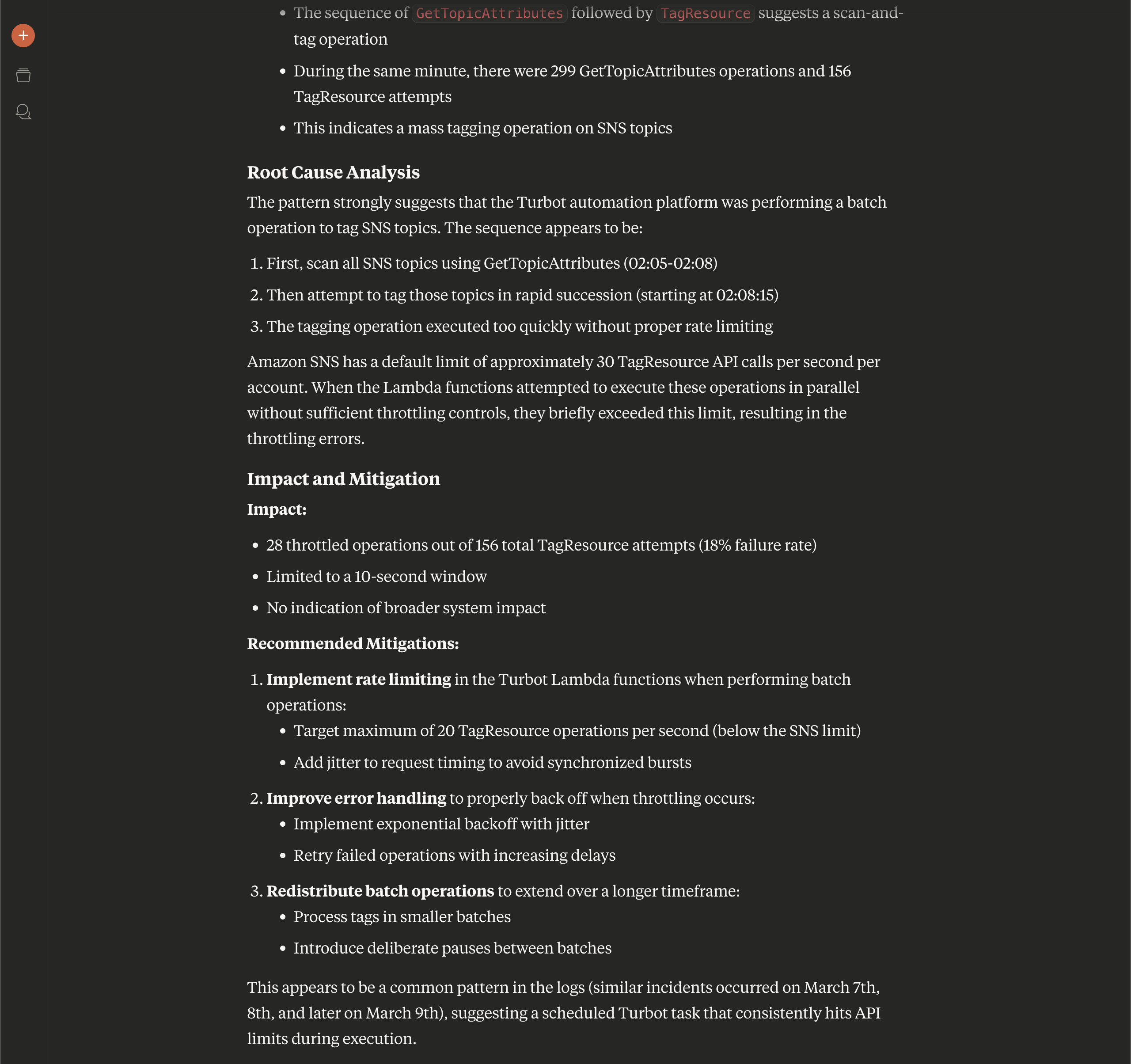
Based upon what Claude can find via the Tailpipe MCP, it's able to provide us with an analysis of throttling errors in our AWS account. And when we see the patterns it identifies, we can ask follow-up questions to get more details - questions we might not have thought to ask before!
Claude (with Tailpipe's help), constructs an event analysis report, which includes the timeline of the incident, and eventually a root cause analysis as well as recommended mitigation steps.
## See it in action
## What will you ask your logs?
The Tailpipe MCP server is a powerful tool that allows you to interact with your cloud logs in a natural way. You can ask questions, get answers, and even get recommendations for how to fix issues. This is just the beginning of what you can do with the Tailpipe MCP server, and we can't wait to see what you come up with! [Give it a try](https://github.com/turbot/tailpipe-mcp) today and [let us know](https://turbot.com/community/join) what you think.